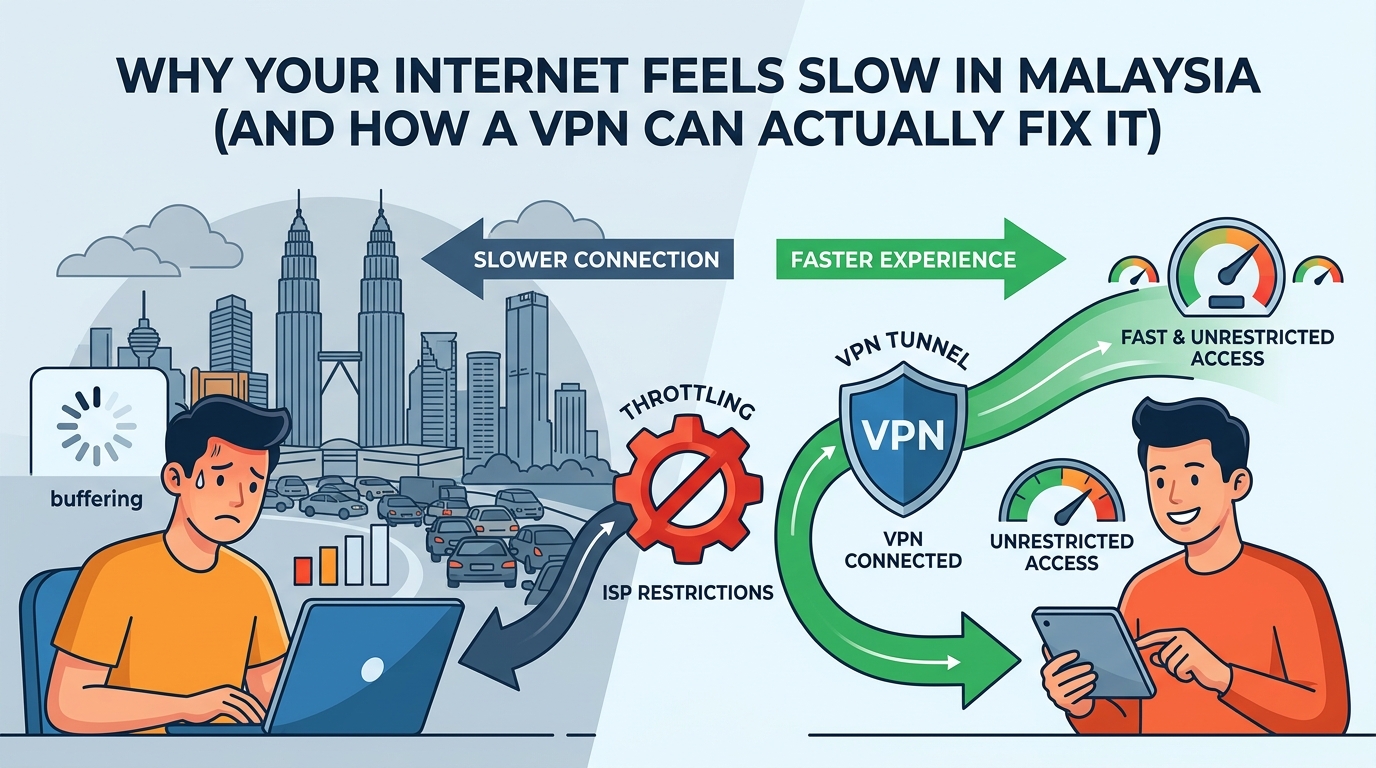
You’re paying for 500 Mbps. The router light is green. But Netflix is buffering, your download is crawling, and your teammate is yelling at you for lagging in-game.
Sound familiar? You’re not imagining it, and your router is probably not the problem.
A lot of the slowdowns Malaysians experience come from something called bandwidth throttling. It’s when your ISP deliberately slows down certain types of traffic. And the annoying part is that it happens even on fast, paid plans.
This article explains what’s going on, how to check if you’re being throttled, and whether a VPN can actually help. No fluff, just the practical stuff.
1. First, Is Your Internet Actually Slow?
Before blaming your ISP, it’s worth ruling out the obvious stuff. A lot of speed complaints come from issues inside your own home.
Run a speed test at fast.com or speedtest.net right now. Then compare the result against your subscribed plan. If you’re on a 100 Mbps plan and you’re getting 90 Mbps, your line is fine. The issue might be somewhere else.
Common causes that have nothing to do with your ISP
- Old or underpowered router. Routers degrade over time and can bottleneck fast connections.
- Too many devices connected at once. Each device takes a slice of your bandwidth.
- WiFi interference. Walls, microwaves, and neighbouring networks can all affect signal.
- The server you’re connecting to is slow. Sometimes it’s the website or app, not your connection.
- Peak hour congestion. Evenings from around 8pm to midnight are heaviest across Malaysian residential broadband.
If your speed test shows you’re getting close to what you’re paying for, but specific things like streaming or gaming still feel slow, that’s a different problem. And that’s where throttling comes in.
2. What Is Bandwidth Throttling and Why Do Malaysian ISPs Do It?
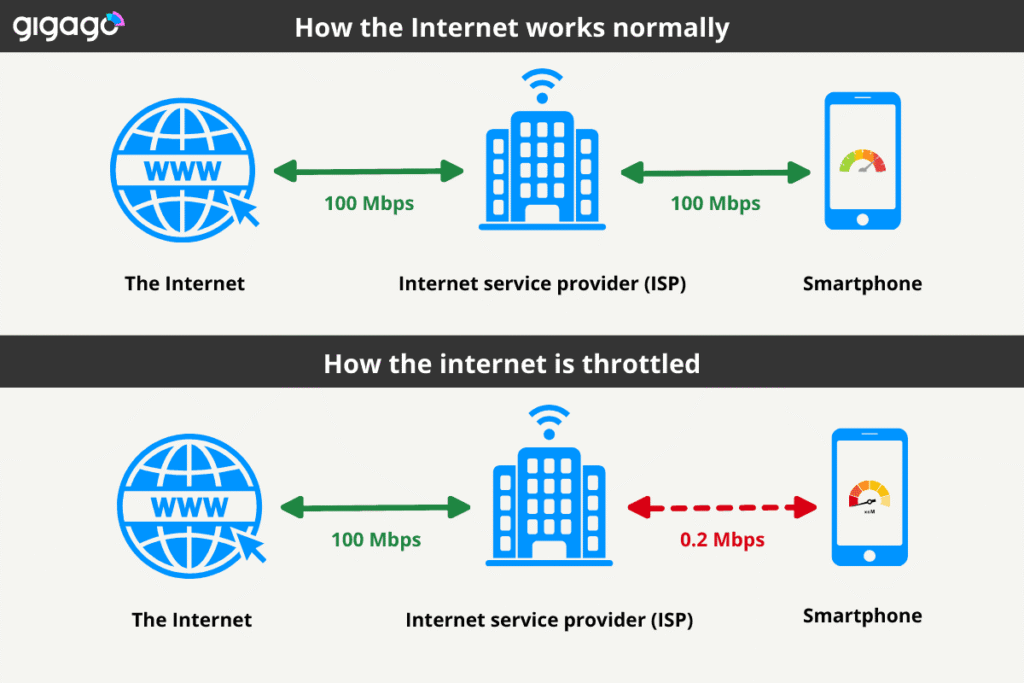
Source: igago.com/mobile-data-throttling
Throttling is when your ISP intentionally slows down specific types of traffic. Not all traffic, but particular ones. Streaming, gaming, and torrenting are the most common targets.
ISPs use a technique called Deep Packet Inspection, or DPI, to look at the type of data passing through their network. When they detect that you’re streaming Netflix or YouTube, they can flag it and slow that traffic down. Your browsing stays fast, but your video buffers.
DPI lets your ISP see the type of traffic you’re sending, even if they can’t see the actual content. Think of it like a postal worker who can’t open your envelope but can tell it’s a parcel, a letter, or a magazine just by looking at the shape and weight.
Why do they do this? A few reasons:
- Network congestion management. Too many people streaming HD video at the same time puts strain on the network. Throttling keeps things moving for everyone, even if it means a worse experience for heavy users.
- Cost control. Delivering high-bandwidth traffic is expensive. Throttling saves ISPs money.
- Business incentives. Some ISPs have commercial arrangements with certain services. A competitor’s streaming platform might get throttled while their own service runs fine.
It’s not illegal in Malaysia. ISPs have the right to manage their network. But it can be frustrating when you’re paying for a fast plan and not getting consistent speeds for the things you actually use the internet for.
3. How to Tell If Your ISP Is Throttling You
The simplest way is a two-step speed test.
First, run a speed test at speedtest.net and note your results. Then run the same test again but connected to a VPN. If your speeds go up with the VPN on, there’s a good chance your ISP was throttling your connection.
You can also use fast.com to specifically test your Netflix connection speed, because Netflix built that tool to measure exactly how much bandwidth is being delivered to streaming. If fast.com shows a much lower number than your general speed test, your ISP may be throttling Netflix traffic specifically.
A speed drop of more than 25 to 30 percent compared to your subscribed speed is considered abnormal and is a sign of deliberate throttling, according to vpnranks.com.
Signs that throttling is likely happening
- Buffering only happens during evenings or weekends, but not early morning.
- YouTube and Netflix buffer, but loading websites feels normal.
- Your speed test number is fine, but streaming or gaming still lags.
- Torrents slow to a crawl even on a high-speed plan.
- Speeds improve noticeably when you turn on a VPN.
4. What a VPN Can and Cannot Fix
A VPN encrypts all your traffic before it leaves your device. From your ISP’s perspective, everything looks like generic encrypted data going to a VPN server. They can’t tell if you’re streaming, gaming, or downloading. So they can’t selectively throttle those specific activities.
This is why VPNs often fix throttling-related slowdowns. It’s not that the VPN adds speed, it removes the ISP’s ability to slow down specific things.
The key insight here: a VPN does not make your internet faster. It stops your ISP from making it slower for specific activities. There’s a difference, and it matters for setting the right expectations.
Here’s a breakdown of where a VPN actually helps, and where it doesn’t:
| Activity | Without VPN (throttled) | With VPN (encrypted) | Why It Happens |
|---|---|---|---|
| Netflix / streaming | Buffering, drops to 480p | Smooth, HD maintained | ISP detects video traffic via DPI, slows it during peak hours |
| YouTube HD | Spins for ages, 720p cap | Loads quickly, 1080p+ | Same DPI issue. YouTube traffic is easy for ISPs to identify |
| Online gaming | Ping spikes, lag | More consistent ping | Game traffic throttled during congestion. VPN reroutes around it |
| Torrenting / P2P | Very slow or blocked | Normal speeds restored | P2P is heavily throttled by most Malaysian ISPs by default |
| Regular browsing | Usually fine | Usually fine | ISPs rarely throttle basic browsing. VPN makes little difference here |
Sources: cybernews.com (2026), comparitech.com (2025), klox.app (2025). Results vary by ISP and time of day.
The short version: if your internet is slow because your ISP is throttling streaming or gaming traffic, a VPN is likely to help. If your internet is slow because your plan is just not fast enough, a VPN won’t change that.
5. How a VPN Actually Bypasses Throttling
When you connect to a VPN, your traffic gets wrapped in a layer of encryption before it even leaves your device. Your ISP can see that you’re sending data to a VPN server. That’s it. They can’t see what’s inside.
Because they can’t classify the traffic, they can’t apply their throttling rules to it. Netflix traffic gets the same treatment as any other encrypted data. That means no selective slowdown based on what you’re doing.
This is different from the old idea that a VPN just hides your IP. It does that too, but for throttling purposes, the encryption is what matters. According to klox.app, the encryption overhead adds some latency, typically 10 to 30 milliseconds, but for streaming purposes that’s usually negligible compared to the benefit of bypassing throttling.
One thing to know: VPNs cannot fix all types of slowdowns. If your ISP throttles all traffic equally during congestion, not just specific types, a VPN may not help much. That kind of throttling happens at the network level, not at the traffic-type level.
6. Which VPN Works Best for This in Malaysia?
Not all VPNs are equal when it comes to bypassing throttling. You need one with strong encryption, fast enough servers to absorb the added overhead, and ideally servers near Malaysia so your base latency stays low.
What to look for
- Strong encryption (AES-256 is the standard). This is what prevents DPI from seeing your traffic type.
- WireGuard or NordLynx protocol. These are the fastest modern protocols and they minimise the speed penalty of encryption.
- No-logs policy. Not directly related to throttling, but good practice if privacy matters to you.
- Servers in Singapore or nearby. Closer servers mean less added latency.
For Malaysia, NordVPN and Surfshark are both solid options. NordVPN uses NordLynx which keeps the speed overhead low, and Surfshark is the more budget-friendly pick if you’re connecting multiple devices. ExpressVPN works well too, particularly for streaming.
All three have a 30-day money-back guarantee, so you can test whether it actually improves your speeds before committing. That’s the only reliable way to know if it works for your specific ISP and connection, mah.
7. Step-by-Step: How to Test If a VPN Fixes Your Slow Internet
Here’s a quick way to check if throttling is your problem and whether a VPN helps.
- Run a speed test at speedtest.net. Write down your download speed, upload speed, and ping.
- Run the same test at fast.com. If fast.com gives a much lower number than speedtest.net, your ISP may be specifically throttling streaming traffic.
- Install a VPN and connect to a Singapore or Malaysia server.
- Repeat both speed tests with the VPN on. Compare the results.
- Try streaming or gaming with the VPN on. Notice if there’s a difference in quality or stability.
If your speed improves with the VPN, throttling was the issue. If it stays the same or gets worse, the problem is elsewhere, and you may need to look at your plan, your router, or your ISP’s network in your area.
Frequently Asked Questions
Can a VPN actually make my internet faster?
Not directly. A VPN adds a small amount of overhead because of encryption. But if your ISP is throttling certain types of traffic, a VPN can remove that throttle and make those specific activities feel faster. The net result can be a better experience, even though the VPN itself is not adding speed.
Does throttling happen on all Malaysian ISPs?
It varies by provider and by plan. TIME is generally considered to have less throttling than others. Unifi and Maxis can both be more aggressive about it during peak hours. There’s no public list of what gets throttled and when, so the speed test method described above is the best way to check for your specific connection.
Will a VPN fix buffering on Netflix?
It depends on why you’re buffering. If the cause is ISP throttling of streaming traffic, a VPN is likely to help. If the cause is a slow internet plan or a server issue on Netflix’s end, a VPN won’t make a difference. Test with and without the VPN to see which applies to you, lor.
Is it legal to use a VPN to bypass throttling in Malaysia?
Yes. VPNs are legal in Malaysia and MCMC has confirmed they have no plans to block VPN services. Using one to avoid ISP throttling is legal. Just don’t use it for illegal activities.
Can my ISP tell I’m using a VPN?
Your ISP can see that traffic is going to a VPN server, so they know you’re using one. But they can’t see what you’re doing inside the encrypted tunnel. Some ISPs may try to throttle VPN traffic itself, though this is not common in Malaysia. If you run into this, look for a VPN that has obfuscation mode, which disguises VPN traffic as regular HTTPS traffic.
Free VPN can fix throttling or not?
Free VPNs usually have server congestion issues, low bandwidth limits, and weaker encryption. They might help a little, but they often create a different type of slowdown. For consistent results, a paid VPN with proper infrastructure works much better. NordVPN, Surfshark, and ExpressVPN all have free trial periods or money-back guarantees worth testing.
Bottom Line
If your internet feels slow and the problem is selective, meaning streaming and gaming lag but browsing feels fine, there’s a good chance your ISP is throttling specific traffic types. A VPN bypasses that by encrypting everything, leaving your ISP unable to classify and slow down what you’re doing.
It’s not a guaranteed fix for every slow internet problem. But for throttling specifically, it’s one of the most straightforward solutions available. Sure can test it yourself with a money-back guarantee, no risk involved.
Check out the VPN comparison at our homepage to see which options work best for Malaysian users.
Sources & Reference:
- cybernews.com — How to Stop ISP Throttling with VPN (2026)
- comparitech.com — How to stop and bypass bandwidth throttling with a VPN (2025)
- klox.app — VPN and Streaming: Stop Buffering, Bypass Throttling (2025)
- vpnranks.com — How to Bypass ISP Throttling with a VPN (2025)
- opensignal.com — Malaysia Mobile Network Experience Report (Nov 2025)